
Freight reconciliation, without spreadsheet work.
CargoMatiq extracts invoice data, matches it against internal records, and flags only the exceptions your team needs to review.

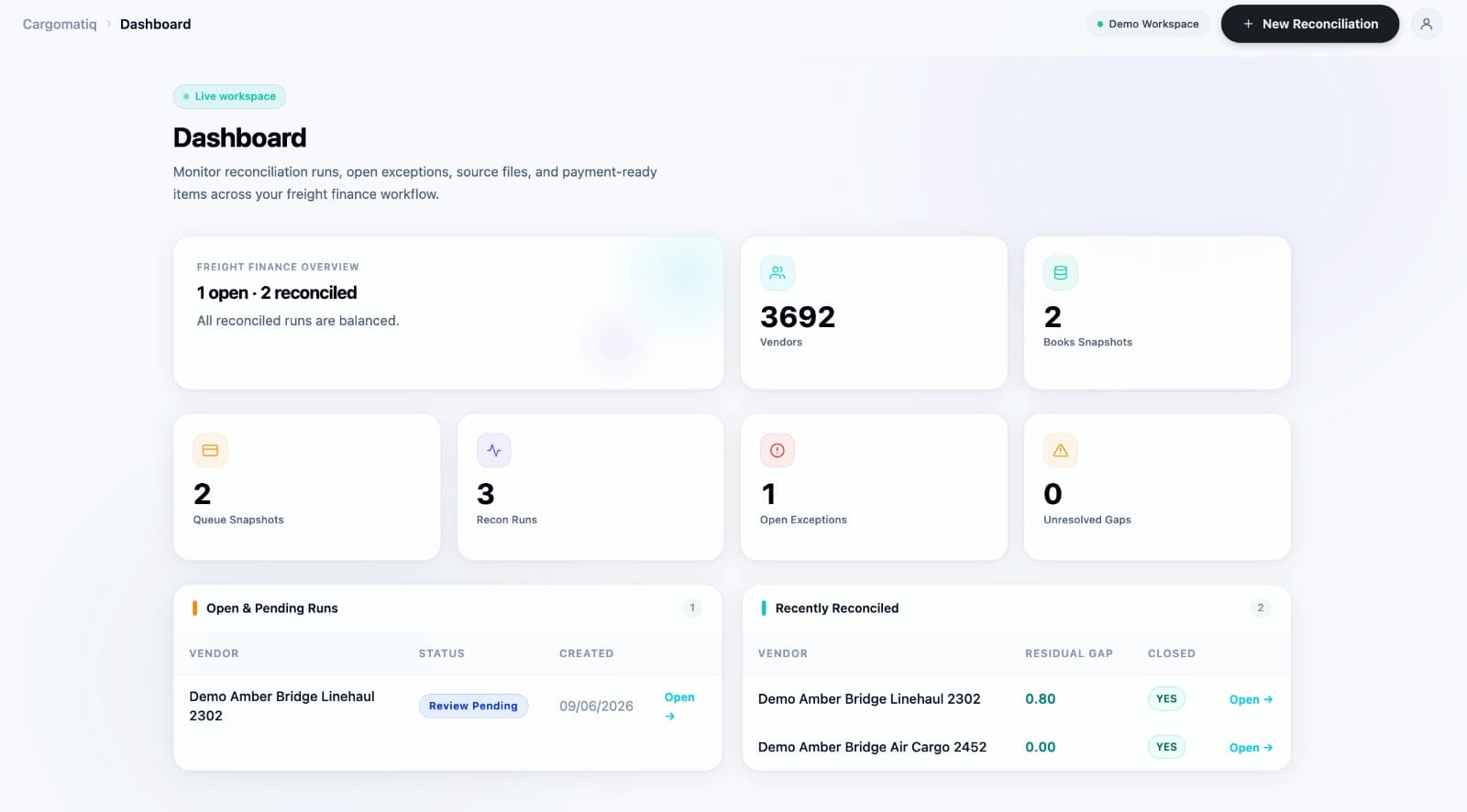
Freight invoice reconciliation built for real vendor statements.
CargoMatiq automates vendor statement intake, invoice data extraction, shipment matching, tolerance checks, exception review, and reconciliation reporting — so freight and AP teams spend less time in spreadsheets and more time closing cleanly.
01
Vendor statement intake
Bring in vendor statements from email, Excel files, PDFs, HTML tables, and forwarded reply chains. CargoMatiq turns inconsistent inputs into reconciliation-ready batches without manual cleanup.
Email intake
Excel and PDF statements
Reply chains
02
Invoice data extraction
Extract the fields your freight reconciliation process depends on — invoice numbers, shipment references, vendor names, service dates, line charges, taxes, totals, and currency.
Invoice numbers
Shipment references
Charges and totals
03
Shipment and invoice matching
Match vendor statement lines against internal shipment, finance, or TMS records to see what lines up, what is missing, and what needs review.
Internal records
Vendor rows
Match status
04
Tolerance-based matching
Apply allowed variance rules for small rate, tax, rounding, or charge differences so acceptable matches move forward and only true exceptions require attention.
Exact matches
Allowed variance
True exceptions
05
Duplicate and missing reference checks
Catch duplicate charges, missing shipment references, unmatched invoices, and incomplete vendor rows before they slow down month-end close or AP review.
Duplicate charges
Missing references
Unmatched invoices
06
Exception-ready reporting
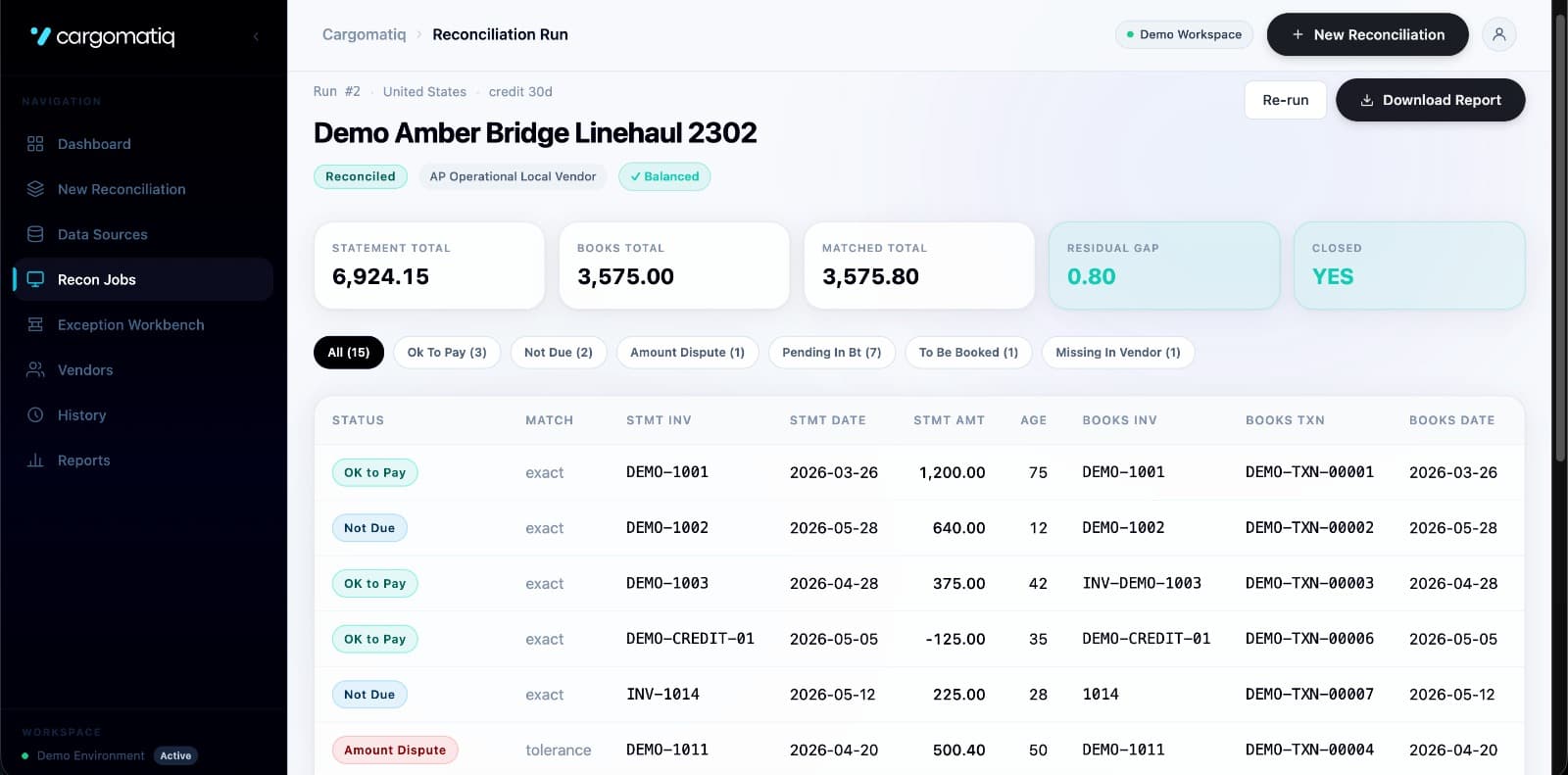
Generate a clear reconciliation report showing matched lines, tolerance matches, flagged exceptions, and the exact items your team needs to act on.
Review queue
Exportable report
AP handoff
From vendor statement to exception-ready report.
Step 01
Upload vendor statement
CargoMatiq accepts vendor files and extracts the relevant invoice and shipment details.
Step 02
Match against internal records
The system compares vendor data with your operational or finance records.
Step 03
Flag what needs review
Clean matches pass through. Mismatches, missing data, and tolerance issues are routed for review.
Step 04
Export the result
Teams get a structured reconciliation output they can act on.
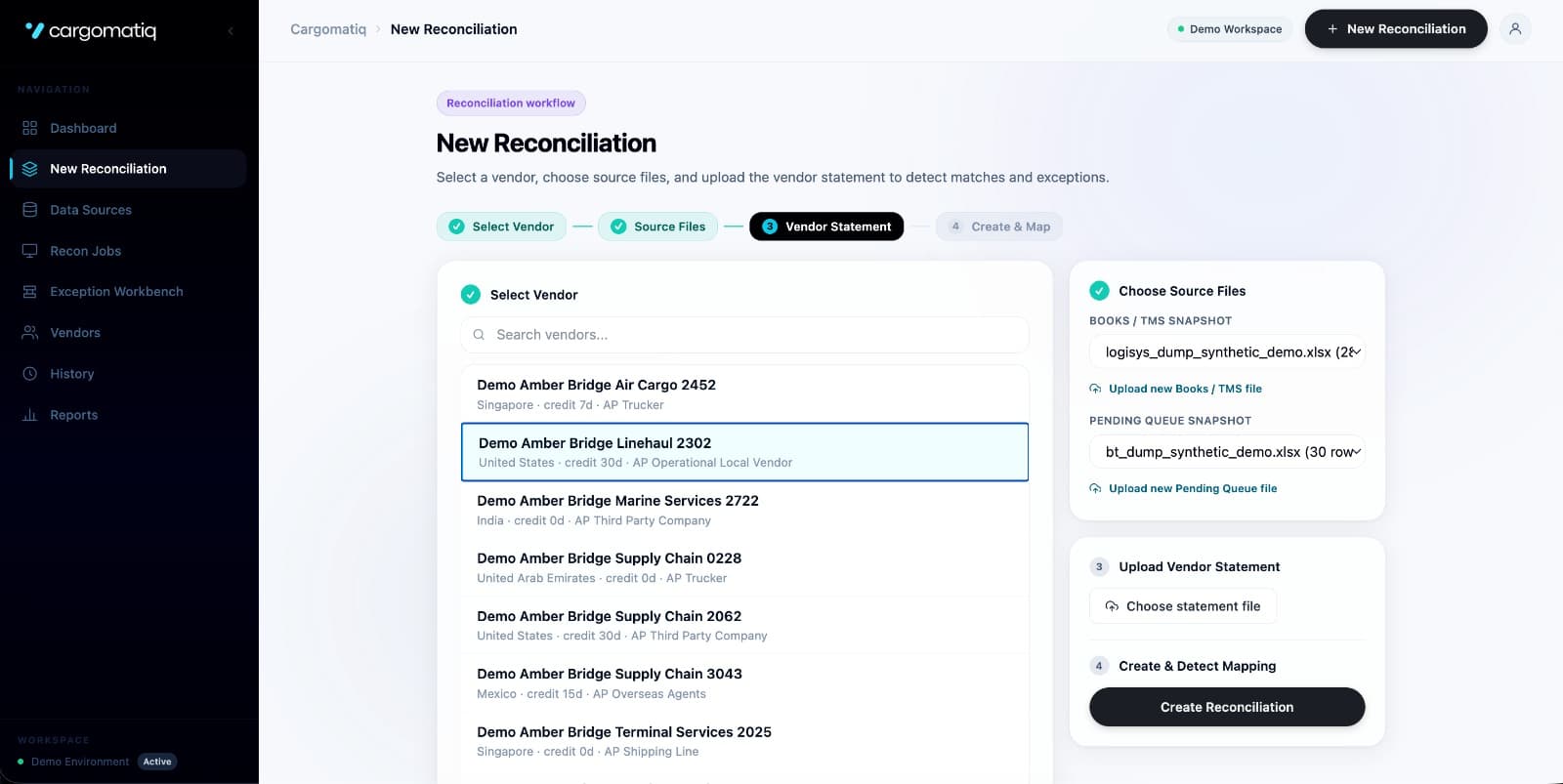
A quick look at CargoMatiq.
A few product screens from the reconciliation workflow.
REQUEST ACCESS
Want to see CargoMatiq on your workflow?
Share how reconciliation works today — vendor volume, file formats, systems used, and where the process slows down.
Discovery session
Book a CargoMatiq walkthrough
We will review your reconciliation process and show where CargoMatiq can reduce manual checking, matching, and exception handling.
Vendor statement review
Reconciliation fit check
Automation next step